
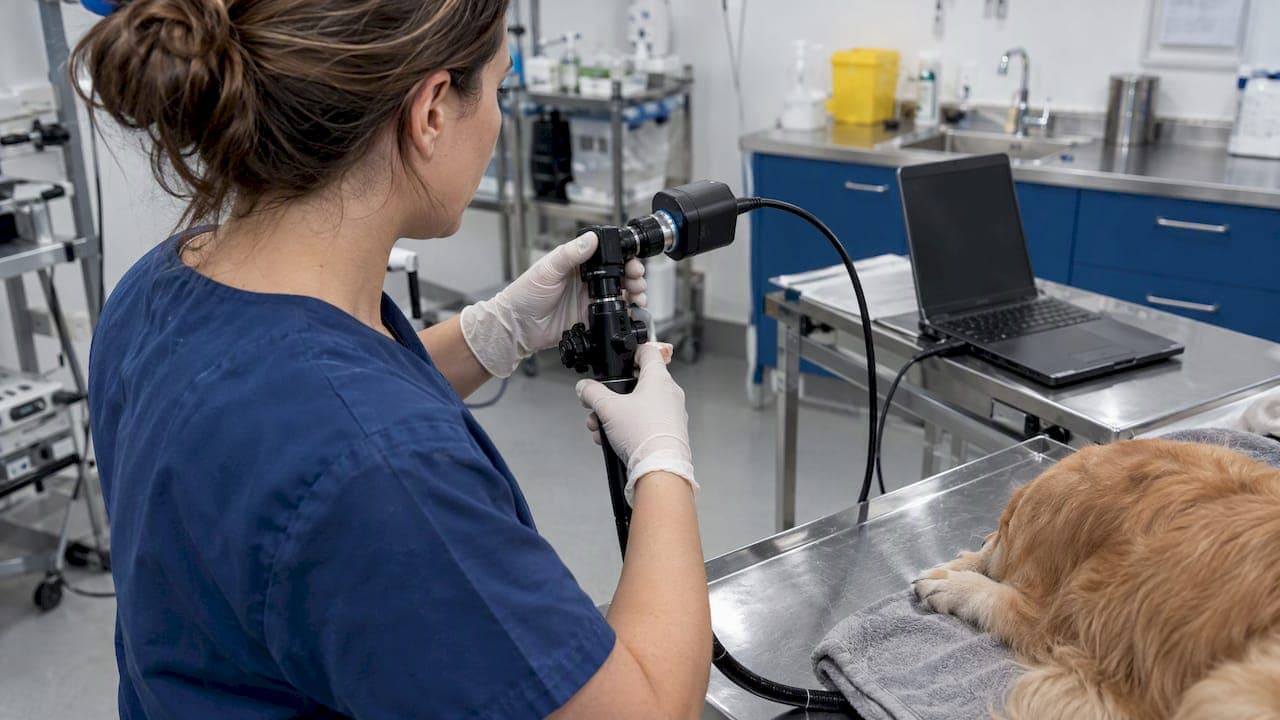
A USB 3 endoscopy camera sends video from the scope to a computer over a USB 3.0 link, which has far more bandwidth than USB 2.0. In practice that means full HD video with less compression and less lag. The camera is only one link in the chain, though. Your scope, light source, cable, computer ports and viewing software all decide whether you get a clean 1080p image or a frozen preview. This guide covers what to verify before you order, what the price range looks like, and what to do when the screen stays black.
It is written for veterinary clinics, equine practitioners, industrial inspection technicians and the people who buy equipment for them.
TL;DR
- USB 3.0 has a theoretical rate of 5 Gb/s and supports uncompressed HD video, while USB 2.0 video often has to be compressed, which can degrade the image.
- Match the camera to your scope's optical port, your operating system and your recording software before you buy. A connector alone does not guarantee compatibility.
- Generic USB inspection cameras sell for tens of dollars. Medical-grade imaging systems cost far more, because of optics, sealing, cleanability and support.
- For a blank image, check the cable, port, camera selection in the software, the light path and any protective caps, in that order.
- For patient use, the scope still has to be reprocessed to manufacturer instructions, whatever camera sits on it.
Table of Contents
- What a USB 3 endoscopy camera actually does
- Checking compatibility before you order
- Specs that matter for image and access
- What a USB 3 endoscopy camera costs in the US
- Veterinary scopes versus industrial borescopes
- Perspective: what we see in the field
- Troubleshooting: when the camera shows no image
- Where to start if you are buying for a clinic or inspection team
- FAQ
- Sources
What a USB 3 endoscopy camera actually does
An endoscopy camera captures the image, either through a sensor at the tip of the scope or through a coupler on the eyepiece of a fiber or rigid scope. It then hands that image to a computer, which displays and records it. A published design for a USB 3.0 HD endoscope camera system describes an interface of 5 Gb/s outputting 1080p Full HD video to the host computer.
The practical gains of USB 3.0 over USB 2.0 come down to three things:
- Bandwidth. USB 3.0 has a theoretical transfer rate of 5 Gb/s. That is what lets full HD frames travel without being squeezed.
- Less compression. According to one camera-module maker, USB 3.0 supports HD video without compression, while USB 2.0 compression can degrade image quality. For a vet looking at mucosal color or an inspector looking at a hairline crack, that matters.
- Power. The same source notes that USB 3.0 delivers 900 mA compared with 500 mA for USB 2.0. More current helps drive a sensor and LED illumination from one cable, but it is not unlimited. Plug several devices into one port and you can run short.
USB 3 does not improve the lens, the sensor or the light. A cheap sensor on a fast cable is still a cheap image. Treat USB 3 as removing a bottleneck, not as a quality guarantee.
Checking compatibility before you order
Most returns of camera gear come from mismatches, not defects. Run through this list before you buy.
Scope and optical coupling
If the camera attaches to an eyepiece rather than sitting at the tip, you need the right adapter. Manuals for USB cameras that mount on optical instruments describe C-mount threading and parfocal adjustment for one type of installation, and an optical adapter, sometimes with a 30 mm or 30.5 mm sleeve, for another. The same logic applies to endoscope couplers: confirm the eyepiece diameter and the coupler thread before ordering, not after.

If you are buying a videoscope with the camera built into the tip, this question disappears. The sensor, optics and light are matched at the factory. That is one reason many clinics choose an integrated videoscope for routine airway or GI work.
Computer and operating system
USB 3 only helps if the port is a real USB 3 port. One USB camera manual says to use a USB 3.0 computer port for optimal speed, and warns that insufficient bandwidth or combined current across several devices can cause errors. Practical rules:
- Plug the camera directly into the computer, not into an unpowered hub or dock.
- Keep other USB 3 devices such as external drives off the same controller where you can.
- Check the operating system. One manufacturer's software manual lists Windows x64 (7 or later), macOS 10.10 or later and Linux kernel 2.6.27 or later, notes that UVC cameras are not supported on Linux in that application, and mentions that some USB cameras can pause frame capture on Apple M1 Macs. Requirements differ by product, so read the ones for the camera you are actually considering.
Phones and tablets
If you want to view the feed on a phone, test the exact combination. One Android endoscope app developer states that USB cameras need Android USB host/OTG support and that a brand name or connector alone does not confirm compatibility. Another viewer app says it works with USB UVC-compatible cameras on Mac, iPadOS, iOS, Windows 10/11, Android and Chrome OS, with some platforms still in testing. For a clinic workflow, a laptop on a cart is usually more dependable than a phone, especially when you need to record a procedure and attach the file to a patient record.
Specs that matter for image and access
The spec sheet for USB endoscope cameras is crowded with numbers. These are the ones that change what you can see and do.
Resolution. 1080p is a sensible floor for diagnostic or inspection work. Many low-cost listings advertise "1200P" or "2 megapixels"; check whether that is the sensor or an interpolated output, and whether you get it at a useful frame rate over the connection you will use.
Lighting. Small LEDs at the tip are bright in a pipe and weak in a large cavity. Adjustable intensity helps avoid glare on wet tissue or shiny metal. For fiber scopes, a separate light source supplies the illumination, and its output matters as much as the camera.
Insertion tube diameter and length. This decides what you can reach. A 6 mm scope suits airways in many small animals and some equine work; a 10 mm scope with a 3 m insertion length is a different tool for gastric examination. Industrial borescopes run much smaller for tight bores, but shrinking the diameter also shrinks the sensor and the light. Pick the diameter for the narrowest passage you will enter, then look at what image quality that diameter can deliver.
Articulation and rigidity. A semi-rigid cable pushes into pipes but does not steer. A flexible scope with tip deflection lets you look around corners and into branches, which is why veterinary GI and airway work uses articulating scopes.
Recording. Decide where footage goes: to the computer, to an SD card, or both. A computer-connected USB 3 camera is good for live review and records straight to disk. A monitor-type scope with an SD card records without any computer, useful in a barn or at a job site. Our guide on 1080p endoscopy recording workflows covers how to avoid lost footage, and the piece on optimizing endoscope video recording for vets covers settings.
Sealing. Waterproof ratings such as IP67 appear in many consumer listings. An IP rating describes dust and water ingress, not whether a scope can be disinfected between patients. Do not treat the two as the same.
What a USB 3 endoscopy camera costs in the US
Prices spread widely because the products are really different categories.
- Consumer and light-industrial USB inspection cameras. A current retailer search for USB inspection cameras lists units from about $15 to a little over $50, including 1080p, waterproof, semi-rigid models. These are fine for plumbing, engines and hobby work.
- Professional camera heads for endoscopes. A specialist USB 3.0 endoscope camera that couples to existing fiber scopes starts from $378 in the listings Google shows for this query, with higher tiers for more capable units.
- Complete veterinary or medical videoscope systems. These integrate scope, light, processor and often a monitor, and cost considerably more than either of the above.
What explains the gaps: sensor quality and low-light performance, lens optics, whether the scope can be cleaned and disinfected, durability of the insertion tube, software and driver support, warranty, and whether someone answers the phone when it fails. A $20 camera is a reasonable tool for a hobbyist. It is a poor fit for a clinic that needs a repeatable image on every case and a unit that survives daily handling.
We do not publish prices for scopes on our site pages, so for current pricing on any system, contact us or open the product page.
Veterinary scopes versus industrial borescopes
People search "endoscope camera" and "borescope" interchangeably, but the use dictates the design.
| Veterinary or medical endoscope | Industrial borescope | |
|---|---|---|
| Used on | Living patients, body cavities | Engines, pipes, welds, enclosed machinery |
| Cleaning | Must be reprocessed between patients | Wiped or cleaned for contamination, not infection control |
| Image priorities | Color accuracy, fine mucosal detail | Contrast, depth of reach, recording for reports |
| Typical features | Channels for biopsy forceps, insufflation, irrigation | Articulating tip, long cables, measurement, probes |
| Output | Monitor, recording to patient record | Monitor, SD card, inspection report |
The distinction matters for safety. A bargain USB borescope has no validated cleaning method and should not go into an animal. In the other direction, an industrial inspector does not need a biopsy channel, and paying for one wastes budget.
Reprocessing limits for patient scopes
If a scope enters an animal, cleaning is not optional. CDC/HICPAC lists seven essential steps for flexible endoscope reprocessing: pre-cleaning, leak testing, manual cleaning, visual inspection, disinfection or sterilization, storage and documentation. After manual cleaning, the same guidance says to visually inspect the endoscope and accessories for cleanliness and defects, with lighted magnification for complex devices. The CDC also stresses that reprocessing is difficult because of the intricate design and delicate materials of flexible endoscopes, so manufacturer instructions for use are critical. That guidance targets human healthcare, but the physics of a narrow channel holding debris is the same in a veterinary room. Ask your scope's manufacturer for the validated procedure and follow it.
Our step-by-step posts cover the practice side: endoscope sterilization for vets and industry, the 2026 veterinary sterilization guide and how to store endoscopic equipment.
Industrial safety use
For industrial teams, a camera on a cable can also keep people out of harm's way. OSHA has said that when employees cannot be removed from the machine area during certain inspection or testing, alternative safeguarding measures, which may include video cameras for remote observation, may be needed. A camera is not a substitute for a lockout/tagout program, so confirm your own procedure with your safety officer.
Perspective: what we see in the field
Most of the questions we get about USB cameras are really questions about workflow. Clinics ask for "USB 3" because they want crisp HD recordings, then discover their laptop ports are shared, their software does not see the camera, or the footage has no place to live. We would rather you choose the whole chain on purpose.

For a practice that scopes animals daily, an integrated videoscope is usually the less fussy option: the camera, optics and light are designed together, and there is no coupler to align. For an equine or large-animal call, a monitor-type scope that records to SD card avoids the laptop entirely. For a computer-based workflow in a clinic with a cart and a good workstation, a USB-connected scope gives you live review and files straight to disk. We stock both approaches because veterinary-specific work is where affordability matters most: small clinics should not need a hospital-grade budget to get a clear view of an airway.
Two habits save more money than any spec. Test the camera in the exact room, computer and software you will use, and schedule scope repair before a failure cancels a procedure.
— Endoscope
Troubleshooting: when the camera shows no image
Work from the cheapest check to the most involved. Manufacturer support guides for USB microscope cameras give a useful order, and it applies to endoscope cameras too.
- Confirm the model and software. Match the exact camera model and your operating system when choosing drivers and software, and confirm whether it is a USB 2.0 or 3.0 device.
- Reseat the cable at both ends. Use the supplied cable. Skip unpowered hubs and docks and plug into the computer directly, then try another port.
- Close competing apps. Only one program can hold the camera at a time. Close video-call or other camera software, then restart or reinstall the viewer.
- Select the camera in the software. A laptop's built-in webcam is often the default source.
- Check light and optics for a black preview. Look at illumination, protective caps and the adapter or photo path. For eyepiece-mounted cameras, make sure the light path to the camera port is open, and point the camera at a window to see whether it produces an image at all, as one manual suggests.
- Slow or frozen video? Lower the resolution. The same manual notes that computer video-driver capability can limit maximum resolution and speed.
For fault-finding on the scope itself, such as fogging, dim light or a damaged bend section, see our animal endoscopy troubleshooting guide and the checklist for prepping an endoscope before inspection.
Where to start if you are buying for a clinic or inspection team
If you want a computer-connected setup, our EQUINE 8mm USB airway inspection field scope is a monitor-type SD-card videoscope with a USB option, built for field use. If you would rather not depend on a computer, the portable 6 mm x 150 airway inspection system with direct monitor and SD card records on its own. Industrial teams can browse our borescopes and pipe inspection videoscopes, and the full range, including light sources and accessories, is in the catalog. Not sure what pairs with what? Tell us your scope, computer and application and we will help you match them. Pairing the right accessories matters as much as the camera.
FAQ
Is a USB 3 endoscope camera better than USB 2?
For HD video, usually yes. USB 3.0 offers a theoretical 5 Gb/s and can carry HD video without the compression that USB 2.0 often needs. The benefit only appears if the camera sensor, the port and the software all support it.
What apps can I use to view a USB endoscope camera?
Most cameras that follow the UVC standard work with generic viewing software on Windows, macOS and Android, and some apps are built specifically for endoscope cameras. Before buying, check that the app supports your exact device. On Android, the phone also needs USB host/OTG support, and you should test the real phone, adapter and probe together.
How much does an endoscopy camera cost?
It depends on the category. Consumer USB inspection cameras run roughly $15 to $50, while professional camera heads and complete veterinary videoscope systems cost substantially more. For current figures on our systems, contact us.
What is the difference between a borescope and an endoscope camera?
A borescope inspects machinery, pipes and engines and is cleaned for contamination only. An endoscope for veterinary or medical use enters living patients and has to be reprocessed between uses following the manufacturer's instructions. Image hardware can look similar, but the cleanability and validated procedures are not.
Sources
- 基于USB3.0高清内窥镜摄像系统的设计 (AET)
- What is a UVC camera? (e-con Systems)
- MiniVID USB Manual
- AccuView LITE Help Manual
- Camera Support, MU Series (AmScope)
- Magic Endoscope for Android
- ProScope Capture Software
- Essential Elements of a Reprocessing Program for Flexible Endoscopes (CDC/HICPAC)
- Gastrointestinal Flexible Endoscopes: Infection Control (CDC)
- OSHA interpretation on lockout/tagout and testing
- USB inspection cameras (Newegg)