
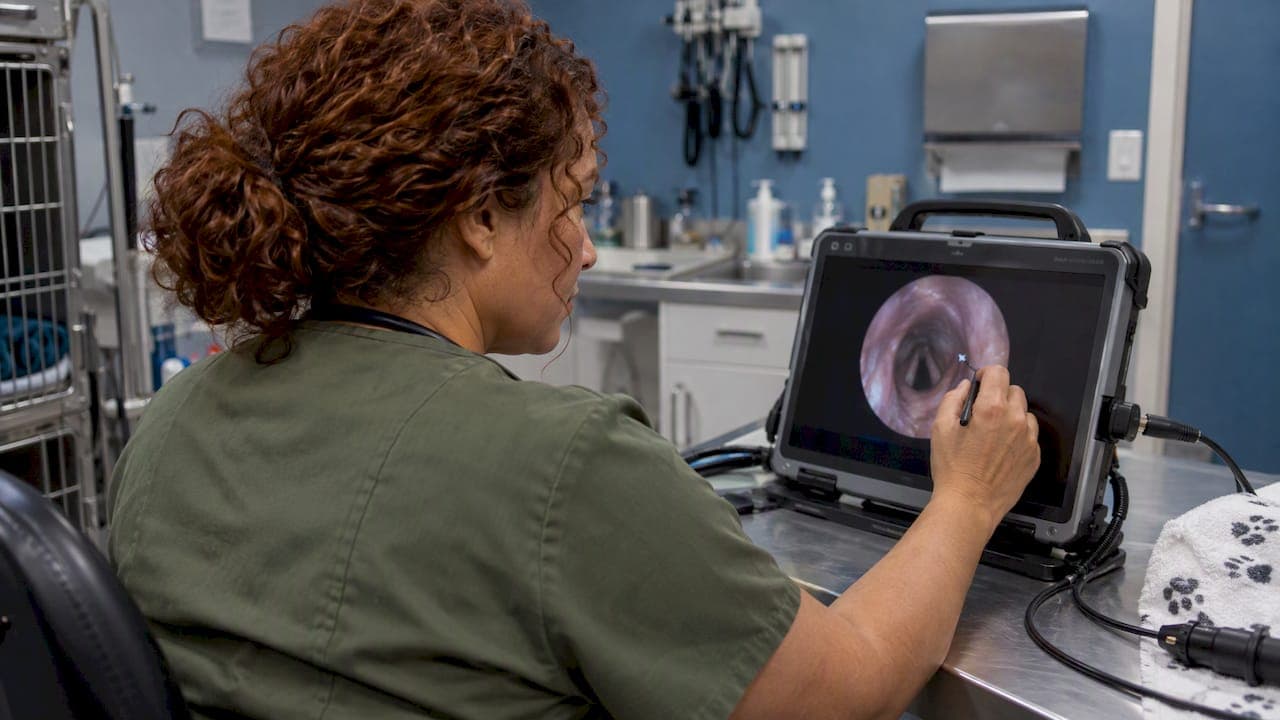
Videoscope image annotation means adding text, arrows or voice notes to a captured still or clip so the next person knows what they are looking at, where, and on which asset or patient. Done well, it turns a folder of anonymous JPEGs into a record you can compare, refer and defend. Done badly, it hides the finding or gets mistaken for a measurement. This guide covers what to annotate, what to keep off the image, how SD cards and file storage fit in, and what to check in a scope before you buy.
TL;DR
- Annotation tells a reviewer where to look. It is not a diagnosis, and it is not an acceptance decision. Those stay in the clinical record or the approved inspection procedure.
- Keep an unaltered original and make a separate, clearly marked review copy for any markup.
- Use one fixed labeling scheme: patient or asset ID, date, location, direction of view, finding. Consistency beats decoration.
- Format the SD card in the scope itself, copy files off to secure archive storage, and never treat the card as the only copy.
- When you compare scopes, look past resolution: annotation type, editable or burned-in, file format, storage and transfer, timestamps.
Table of Contents
- What annotation actually does on a videoscope
- Burned-in markup versus metadata
- What to label: a scheme you can repeat
- Arrows tell the reviewer where to look, not what to decide
- SD card format and what the card is really for
- Storing and archiving annotated images
- A simple workflow, step by step
- What to check when buying a videoscope with annotation
- Our perspective
- Scopes with SD-card recording
- FAQ
- Sources
What annotation actually does on a videoscope
On industrial videoscopes, annotation is usually a short list of tools. According to the Baker Hughes Mentor Visual iQ operating manual, you can add text and arrows to frozen or recalled images to point out areas of interest such as cracks. Text can be entered, moved, edited or deleted, and arrows are available on frozen or recalled images. The same manual describes configurable text color, background, border and size, plus arrow size and color.
Three practical points follow from that:
- You annotate a frozen frame, not live video. Freeze, position the arrow, add the label, save. Plan for that extra few seconds during a procedure.
- Formatting matters for legibility. A white label over a bright metal surface disappears. A background box or contrasting color keeps the note readable without covering the finding.
- Editable and permanent are different things. Some systems keep annotations as an overlay you can change. Others burn them into the saved pixels. You need to know which one your scope does before the first real case.
A few scopes also record voice or text comments with the capture. The FLIR VS80 specification sheet is a handy example of the feature set to look for: 1280 × 720 stills and video, JPEG capture, voice and text comments, microSD storage up to 64 GB, USB and wireless transfer, and live reference image comparison.
Burned-in markup versus metadata
This distinction causes more trouble than any other, so settle it early.
- Burned-in annotation is part of the image. Anyone who opens the file sees it, with no special software. It cannot be cleanly removed.
- Metadata (filename, database tags, embedded fields) travels with the file but is not necessarily visible on screen.
For industrial work, the safer habit is to preserve an unaltered original and create a clearly marked review copy for markup. Annotations should identify the finding without obscuring the defect, the measurement scale or the orientation. Our reading of the Mentor manual's workflow is that annotation tools sit apart from measurement, inspection templates and reporting controls. That separation is useful: it keeps a visual markup from being mistaken for a quantified result.
The same logic applies in a clinic. If you burn a patient label onto a still and later need a clean frame for a referral or a client handout, you want the original untouched.

What to label: a scheme you can repeat
A repeatable inspection is worth more than a heavily marked-up image. Pick a fixed scheme, write it down, and have everyone use it.
Veterinary stills and clips
The IVUSS abdominal ultrasound protocol is written for another modality, but its labeling model transfers well. It recommends embedding patient identification, examination date, facility name and an organ label, plus orientation labels where relevant. For endoscopy, we would add procedure type and scope position when they are clinically useful.
A workable veterinary label set:
| Field | Example | Why it matters |
|---|---|---|
| Patient ID | Case number, not the owner's name | Links the image to the record without exposing personal data |
| Date | 10/22/2026 | Follow-up comparison |
| Facility | Clinic name or code | Referral and shared cases |
| Procedure | Gastroscopy, rhinoscopy, airway exam | Context for the reviewer |
| Site | Distal esophagus, left nasal passage | Where the frame was taken |
| Orientation or scope position | Distance from incisors, direction of view | Lets someone repeat the view |
| Observation | Focal erythema | Factual description only |
Keep the observation factual. An annotation is not a diagnosis. Interpretation and treatment decisions belong in the clinical record, not stamped across the image.
Industrial and NDT captures
For industrial work the fields change but the principle holds: asset, location, direction of view, defect type, inspector, date. The Baker Hughes MDI Builder+ manual describes a menu-directed system that can place automatic on-image annotation, generate descriptive filenames and attach database tags for asset, serial number, inspector, location and inspection event. It allows required inspection fields, and up to five selected detail fields can appear as live annotation on captured images and videos. That is more audit-friendly than free-text notes typed inconsistently at the end of a job, because it reduces transcription errors.
You may not own a menu-directed system. You can still copy the idea with a laminated card and a naming convention such as AssetID_Location_View_DefectType_YYYYMMDD.
Arrows tell the reviewer where to look, not what to decide
The key expert distinction is evidentiary. An arrow points. It does not measure, and it does not accept or reject. In industrial work, the acceptance decision rests on the approved procedure and its criteria. In a clinic, it rests on the veterinarian's assessment.
Good habits that follow:
- Use the smallest arrow that does the job and place it beside the finding, not on it.
- Capture a wide frame first, then a close frame, so the reviewer sees context and detail.
- If the scope has a measurement function, use it separately and keep the scale visible. Do not infer size from where you drew the arrow.
- Capture the same area again at the next inspection from the same angle, so comparison is possible.
SD card format and what the card is really for
Many portable videoscopes record to an SD or microSD card, so the card is the first link in your storage chain. Readers often ask which format to use. The short answer: format the card in the scope itself, using the scope's own menu, and follow the manual.
The reason is that devices can expect particular folder structures. Lexar's guide to exFAT versus FAT32 for camera cards says FAT32 has a 4 GB maximum individual file size and suits cards of 32 GB and under, while exFAT has no practical file size limit and suits 64 GB and above. It also notes that video-focused devices can expect specific structures, which is why in-device formatting is safer than formatting on a computer.
What this means in practice:
- Small cards (up to 32 GB) often arrive as FAT32. A long continuous clip may be split into several files at the 4 GB limit, so do not assume a missing file when you see a series.
- Large cards (64 GB and up) are typically exFAT. Check that your scope supports them, since some devices cap supported capacity. The FLIR VS80, for instance, lists microSD up to 64 GB.
- Check the date and time in the scope before the first capture. A wrong clock makes every timestamp unreliable, and the timestamp is part of your record.
Capacity is rarely the bottleneck for stills. For video it can be. One manufacturer blog notes that an occasional-use videoscope may come with a small card, say 8 GB or 16 GB, and that compression settings change how much footage fits. If you record whole procedures, plan for larger cards or copy off between cases.
One rule that saves careers: the card is a transport medium, not an archive. Copy files off after each session, verify they open, then and only then reformat the card for the next case.
Storing and archiving annotated images
For veterinary practices, small-animal imaging guidance published by the British Medical Ultrasound Society recommends correctly optimized, clearly annotated images in the patient record. It also recommends secure archiving instead of relying only on a portable device's internal storage, and says records should be clear, factual and completed close to the time of the examination.
Three points to take from it:
- Archive centrally. A shared drive with backups, or your practice management system, not a card in a drawer.
- Mind privacy. The guidance makes clear that privacy and security obligations concern the owner's personal information, even though the subject is an animal. Do not share images that expose another client's or animal's details.
- Check how long you must keep records. The guidance discusses seven years as a sensible minimum consideration in the context of civil limitation periods, and says requirements vary by jurisdiction and insurer. That is not a universal US rule. In the US, veterinary records are governed at the state level, so retention periods differ from state to state. Confirm yours with your state veterinary practice act or board.
Properly labeled archived images have value beyond the current visit. They support follow-up comparison, referral and interventional planning. For more on building a clip-handling routine, see our guide to preventing lost footage in 1080p endoscopy workflows and our notes on optimizing endoscope video recording for vets.
A simple workflow, step by step
- Before the case: set the scope's date and time, confirm the card is formatted in the device and has free space, and open a new folder or case ID.
- Capture wide, then close. Hold the view steady before you freeze.
- Freeze and annotate sparingly. One arrow, one short label, using your fixed scheme.
- Save the original. If your scope burns in annotation, capture a clean frame of the same view first.
- Copy off the same day. Move files to secure storage, verify, and keep the naming scheme intact.
- Record interpretation elsewhere. Put the clinical findings or the inspection result in the report or patient record.
- Reformat the card only after verification.
What to check when buying a videoscope with annotation
Resolution gets the attention, but annotation capability is decided by other details. Put these on your procurement checklist:
| Question | Why it matters |
|---|---|
| Still and video capture? | Some units do one well and the other poorly |
| Annotation type: text, arrows, voice? | Match to how your team reports |
| Editable or permanently burned in? | Determines whether you can keep a clean original |
| File formats (JPEG, MP4, other)? | Compatibility with your archive and report software |
| Storage and transfer: SD, USB, wireless? | Affects speed of getting files off the device |
| Maximum card size supported? | Avoids buying a card the scope cannot read |
| Timestamp behavior? | Part of your evidentiary record |
| Workflow fit | Does it work with your clinic's or NDT company's reporting and archive process? |
Before you order, ask for the manual or specification sheet and check each line against how you actually work. If a listing does not state annotation features, treat it as unknown, not as included.
Our own pages on advanced videoscope features that transform diagnostics and what a videoscope is and what it does cover feature comparison in more depth, and our troubleshooting guide for vet professionals helps when captures or cards misbehave.
Our perspective
We sell veterinary and industrial scopes, and we see the same pattern in how buyers shop: they compare diameter, length and image quality, then discover the workflow gaps after the first month. Where do the files go, who can open them, and can a colleague tell what the picture shows?
Our view is that a simple, disciplined labeling habit is worth more than a long feature list. A clinic that stamps a case number, date and site on every still, keeps the original, and copies cards to secure storage the same day will have better records than one with an expensive scope and no routine. The same goes for an inspection firm with a fixed filename scheme.
We also think annotation should stay modest. Mark the finding, name the place, and let the clinician or the procedure make the call. If you are unsure whether a particular scope of ours records, saves or annotates the way your workflow needs, ask us before you order, and we will point you to the right model for your use.
— Endoscope
Scopes with SD-card recording
If you want direct-to-card capture without a separate recorder, look at our portable monitor-type models. The 6 mm x 150 airway inspection direct monitor SD card videoscope is a fully portable option for airway work, and the equine 8 mm USB airway inspection field scope suits field use. For industrial inspection, see our monitor-type SD-card borescopes and pipe inspection videoscopes, and for the full range browse the complete catalog. Check each product page for its recording and storage details before you order.
FAQ
Can I add annotations to a video, or only to still images?
It depends on the scope. The Mentor manual describes arrow annotation on frozen or recalled images, so on that system markup is a still-image function. Some devices also record voice or text comments with the capture. Check the specification sheet for how a given model handles video.
Should I format a videoscope SD card on my computer or in the scope?
In the scope, using its own menu, unless the manual says otherwise. Devices can expect specific folder structures, and formatting in the device creates them. Copy and verify your files before you format, because formatting erases the card.
Is an annotated image enough for a patient record or an inspection report?
No. An annotation marks a location or observation. In a clinic, interpretation and treatment decisions belong in the clinical record. In industrial work, acceptance depends on the approved procedure and criteria, and measurements should come from the measurement function, not from an arrow.
How long should I keep videoscope images?
There is no single US answer. Veterinary record rules are set by each state, and insurers may add requirements. Professional imaging guidance discusses seven years as a sensible minimum to consider, but confirm the actual period with your state veterinary board. For industrial work, follow your contract, code or customer requirements.
Why do my long clips split into several files?
Cards formatted as FAT32 limit each file to 4 GB, so long recordings can be split into parts. Larger cards are usually exFAT, which has no practical file size limit, if your scope supports them. Check your manual for supported formats.
Sources
- Baker Hughes Mentor Visual iQ VideoProbe operating manual
- Baker Hughes MDI Builder+ manual
- FLIR VS80 specification sheet
- IVUSS abdominal ultrasound imaging protocol
- Small animal veterinary guidelines for professional ultrasound practice (BMUS)
- Lexar: exFAT vs FAT32 for camera memory cards
- XCTimes Electric: videoscope storage space
- Veterinary medical records laws by US region and state