
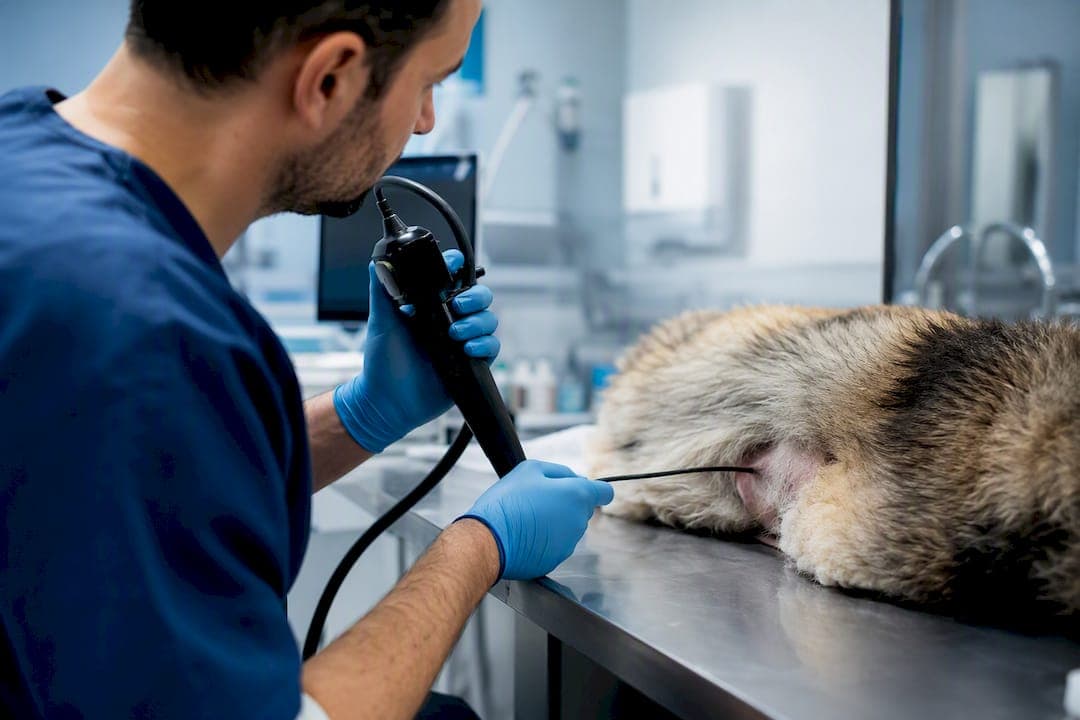
The best fix for shaky videoscope footage is a hybrid digital-optical, real-time, lossless stabilization pipeline, not a consumer video filter borrowed from a phone app. For veterinary airway exams, equine sinus scopes, and industrial bore inspections, that means motion correction that runs at capture speed and never recompresses the original frame.
Three names anchor this approach in current engineering literature: 1800Endoscope for compatible hardware and integration support, LSstab for its AC-RANSAC-based real-time motion estimation, and UECO, a VGG-16 deep-learning registration method built for small fields of view. Here's the fastest path to confidence in your own setup:
- Run a short phantom clip with deliberate jitter before touching live procedures.
- Confirm your capture path stores raw or lossless frames, not a recompressed proxy.
- Only then enable stabilization in your live workflow, with an operator override to switch it off.
Key Takeaways
Hybrid digital-optical stabilization that runs in real time on lossless footage delivers the most reliable diagnostic and inspection value across veterinary and industrial videoscope use.
| Point | Details |
|---|---|
| Favor hybrid stabilization | Combine digital motion correction with optical or mechanical elements only when portability allows it. |
| Keep the archive lossless | Never let stabilization or recompression touch the original diagnostic recording. |
| Use proven algorithms | AC-RANSAC plus least-squares smoothing (LSstab-style) handles most videoscope motion reliably. |
| Reach for deep learning on small FOV | UECO-style VGG-16 registration matches manual accuracy where feature tracking struggles. |
| Validate before rollout | Run phantom tests, SSIM and landmark drift metrics, and clinician-read scoring together. |
| Start with 1800Endoscope | 1800Endoscope supplies compatible portable videoscopes and integration support for testing new stabilization workflows. |
Table of Contents
- What Does Image Stabilization Actually Fix in Videoscope Exams?
- Mechanical, Optical, or Digital: Which Stabilization Class Fits?
- Which Digital Algorithms Actually Stabilize Videoscope Footage?
- How Do You Add Stabilization Without Slowing Down the Exam?
- How Do You Validate That Stabilization Actually Works?
- What Can Go Wrong With Videoscope Stabilization?
- What Should You Ask For When Buying or Upgrading a Videoscope?
- Get Compatible Videoscopes and Integration Support
- Frequently Asked Questions
- Sources
What Does Image Stabilization Actually Fix in Videoscope Exams?
Shaky footage hides the exact things a videoscope exam depends on: landmark edges, lesion borders, and measurement reference points. Stabilization improves landmark visibility, supports repeatable measurements across follow-up exams, and cuts down on diagnostic misreads caused by motion blur or frame-to-frame drift.
Three scenarios show why this matters in practice. A veterinary airway endoscopy has a narrow, moving field where breath motion and probe drift stack on top of each other. An equine paranasal sinus scope deals with specular highlights off wet mucosa that confuse naive tracking. Industrial bore inspections face similar specular glare plus a rigid but tightly constrained field of view.
The processing choice matters as much as the hardware. Generic consumer stabilization tools compress footage in ways that can strip out diagnostically relevant pixel detail, which is a real liability when the recording becomes part of a medical or inspection record. A few things to lock in before you touch live cases:
- Treat the raw capture as the archive copy, always.
- Apply stabilization on a processing copy, never in place of the original.
- Avoid any pipeline stage that recompresses or re-encodes lossy video before diagnostic review.
Mechanical, Optical, or Digital: Which Stabilization Class Fits?
Stabilization splits into three broad classes, and the choice between them decides how much hardware weight you're willing to add versus how much you're willing to trust software. Mechanical stabilization uses physical dampening or gimbaled elements. Optical stabilization, like fast steering mirrors, physically redirects the image path to suppress motion at the sensor level. Digital stabilization corrects motion computationally, in 2D, 3D, or a hybrid of both.
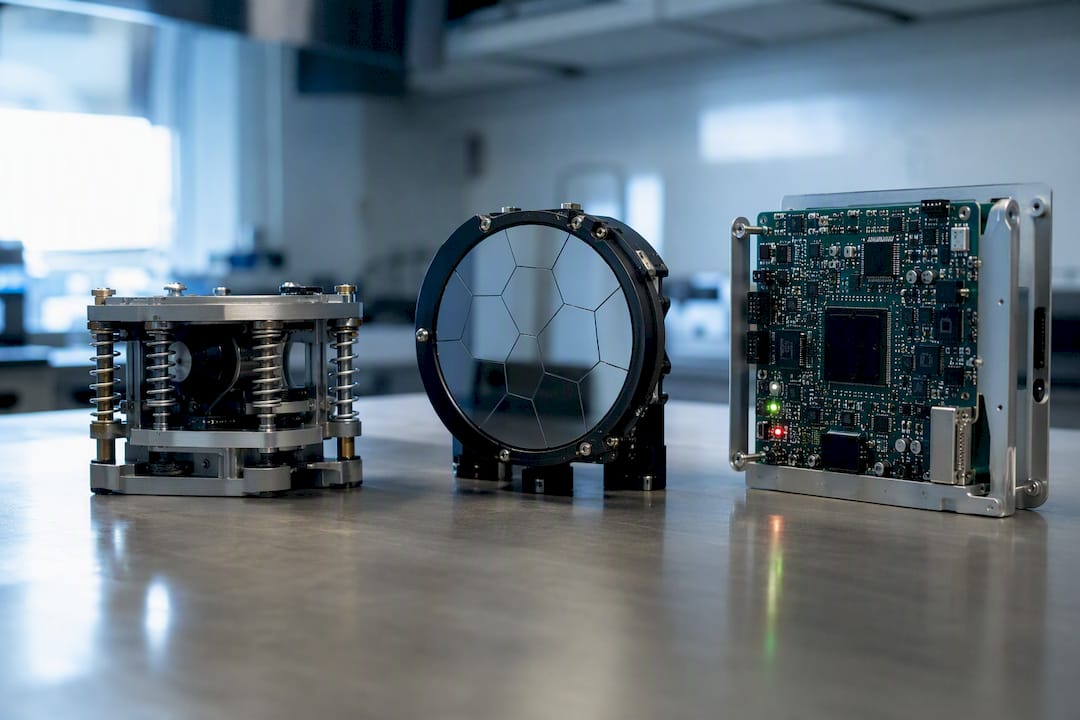
For flexible videoscopes, the literature consistently favors hybrid digital-optical approaches because they balance accuracy against portability without loading the probe tip with mechanical bulk that would hurt maneuverability.
Here's how the three classes stack up against the dimensions that actually matter for a scope you're steering by hand:
- Real-time capability: mechanical is instant but limited in range; optical is near-instant; digital ranges from real-time (GPU-accelerated) to slow, post-processing only.
- Image fidelity: mechanical and optical rarely introduce artifacts; naive digital methods can warp or crop; well-tuned digital pipelines stay near-lossless.
- Hardware impact: mechanical adds the most weight and probe complexity; optical adds moderate complexity; digital adds essentially none.
- Cost and complexity: mechanical and optical require hardware redesign; digital is a software or firmware update in most cases.
- Small FOV and specular tolerance: mechanical and optical handle this well by design; digital methods need careful feature selection to avoid tracking glare instead of anatomy.
Pro Tip: If your probe already maneuvers well and the complaint is just shaky video on screen, start with a software-first digital upgrade. Save hardware changes for cases where the scope itself is physically unstable in the hand.
Which Digital Algorithms Actually Stabilize Videoscope Footage?
The strongest practical recipe combines feature-based motion tracking with robust outlier rejection, then smooths the result. Detect stable feature points frame to frame, fit a motion model with a RANSAC variant that discards spurious matches, then apply least-squares smoothing to separate the operator's intended sweep from unwanted jitter.
LSstab formalizes exactly this pipeline, pairing parallel AC-RANSAC for motion estimation with a least-squares smoothing cost that runs in real time once accelerated on a GPU. A separate MathWorks reference implementation detects features, matches descriptors, fits an affine transform with MSAC, refits it to scale-rotation-translation, then smooths and warps, a clean template if you're building or evaluating your own pipeline.
Feature matching breaks down on small, low-texture fields, which is exactly where equine sinus and narrow-bore industrial scopes struggle. That's where deep-learning registration earns its place. UECO, a VGG-16-based model built for adaptive optics ophthalmoscopy, matched manual registration to within roughly 0.07 pixels vertically and 0.16 pixels horizontally, a level of precision that rivals hand correction on high-resolution, small-FOV imagery.
A working implementation checklist:
- Pick a fast, robust feature detector and descriptor (ORB or FAST plus FREAK cover most videoscope cases).
- Use AC-RANSAC rather than plain RANSAC for inlier selection when specular highlights are common in the field.
- Smooth over a sliding window, tuning window size against your acceptable latency budget.
- Apply sub-pixel bilinear remapping when warping frames, never nearest-neighbor.
- Test end-to-end latency at your intended frame rate before deploying to live cases.
Pro Tip: Exclude specular highlights and frame edges from your feature pool entirely. Glare points look "stable" to a naive tracker but drift independently of the tissue or surface underneath, and that's how you get warped output that looks smooth but measures wrong.
How Do You Add Stabilization Without Slowing Down the Exam?
Stabilization belongs at the lowest-latency stage of your pipeline you can manage, ideally in-host or GPU-accelerated, while a raw lossless feed keeps recording untouched in parallel. That way the live view benefits without the archive copy ever passing through a lossy filter.
A practical integration sequence:
- Confirm your capture settings write raw or lossless-codec video, not a pre-compressed stream.
- Choose a frame rate that matches your procedure type. Diagnostic airway and sinus work rarely needs more than 1080p at 30fps.
- Allocate GPU resources for the stabilization kernel separately from display and recording threads.
- Set your smoothing window and damping parameter conservatively at first, then tighten once clinicians confirm intentional scope movement isn't being flattened out.
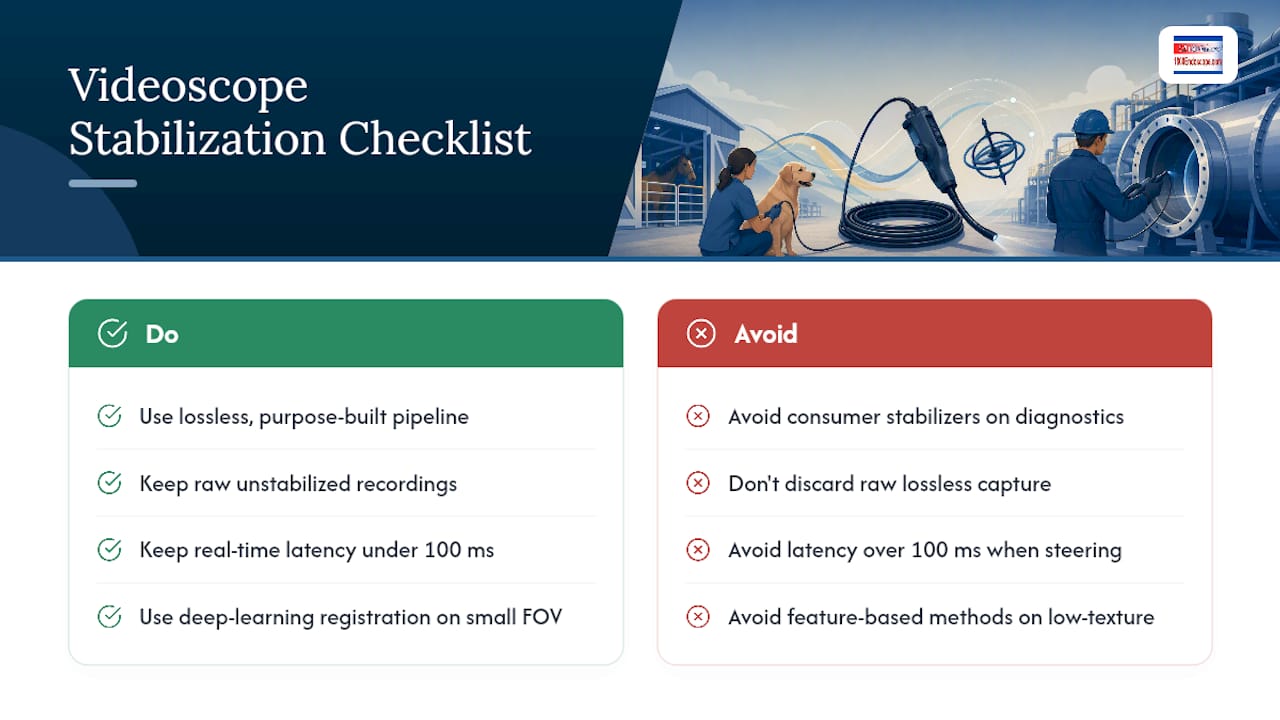
- Target under 100 milliseconds of added latency for any procedure where the operator is steering in real time.
- Add a horizon-lock toggle, and make sure operators can disable it during maneuvers that require deliberate scope-tip rotation.
- For non-critical archival footage, allow a post-processing fallback rather than forcing every clip through the real-time path.
Constrain frame size before you constrain frame rate. A 720p feed with a tight latency budget beats a 1080p feed that lags behind the operator's hand. When you're evaluating a new videoscope or firmware update, ask the vendor directly whether stabilization runs on the host GPU, what latency it adds, and whether it can be disabled per procedure. That single question filters out a lot of marketing language fast. For general capture setup, optimizing your recording pipeline before adding stabilization avoids compounding two problems at once.
How Do You Validate That Stabilization Actually Works?
Validate with three layers: controlled phantom motion tests, objective image metrics, and blinded clinician review. Skipping any one of them leaves you guessing whether the smoother video on screen is actually more diagnostically useful.
The protocol runs in sequence: capture a raw baseline clip, apply a known jitter pattern, run each stabilization variant against it, then log latency and GPU load alongside the output metrics. Landmark displacement in pixels, structural similarity index (SSIM), and peak signal-to-noise ratio (PSNR) each capture a different failure mode, so track all three rather than picking one.
Log clinician confidence as a simple pass/fail or a short numeric scale, not just an SSIM number. A stabilization mode that scores well on paper but reads as "off" to the person actually diagnosing the case has failed the only test that counts.
What Can Go Wrong With Videoscope Stabilization?
Over-smoothing is the most common failure. A system that can't distinguish an operator's deliberate sweep from high-frequency jitter ends up flattening both, leaving diagnostically important motion out of the recording. Warping around fine anatomical or surface detail is the second, usually from a smoothing window set too aggressively for the frame rate.
Other pitfalls worth watching for:
- Low-contrast or specular regions confuse feature tracking and can introduce false motion correction.
- Added latency, even 100 to 150 milliseconds, can disorient an operator mid-procedure if it isn't disclosed or expected.
- Any stabilization mode without a visible on/off toggle removes the operator's ability to catch a failure in real time.
Keep the raw lossless recording as the record of reference, always, and never treat stabilized output as a legal substitute for it in a medico-legal or quality-audit context. Run a short safety checklist with your Biomed or QA team before rolling any new stabilization firmware into regular clinical or inspection use, and check the device's instructions for use for anything that contradicts this guidance.
Pro Tip: If a stabilized clip looks "too smooth" compared to what you remember seeing live, trust that instinct. It usually means intentional motion got flattened along with the jitter.
What Should You Ask For When Buying or Upgrading a Videoscope?
Ask any vendor directly whether real-time stabilization runs on-device or requires post-processing, and get a specific latency number, not a marketing description. Confirm the capture path supports lossless output to SD card or raw file rather than a pre-compressed proxy, and ask whether firmware supports AC-RANSAC-style motion estimation or GPU-accelerated smoothing.
A short compatibility checklist for procurement:
- Small-FOV performance data, not just a general spec sheet claim.
- Documented handling of specular highlights common in wet mucosal or reflective bore surfaces.
- A visible, operator-controlled stabilization on/off toggle.
- Actual phantom test or clinician-read validation data from the manufacturer, not just internal marketing claims.
1800Endoscope carries portable airway inspection systems with SD card video and a full borescope and videoscope catalog spanning veterinary and industrial use cases, and can help you request compatible devices or sample test clips before you commit to a purchase.
A Practical Note on Getting This Right
Stability and probe ergonomics pull against each other more than most spec sheets admit. Run the phantom test above before you change a single procedure, and let the footage, not the marketing copy, decide.
Get Compatible Videoscopes and Integration Support
Most stabilization guidance stops at theory. 1800Endoscope carries the hardware to actually put it into practice: portable, SD-card-capable videoscopes built for field and clinical use, with a catalog wide enough to match probe diameter and FOV to your specific procedure rather than forcing a one-size scope on every case.
If you're evaluating equine field work, the equine airway inspection field scope is built for exactly this use case, with USB connectivity that simplifies integration with existing capture setups. For broader procurement decisions, browse the full medical, veterinary, and industrial catalog and request compatible devices or sample test clips directly from 1800Endoscope before committing to a firmware or hardware upgrade.
Frequently Asked Questions
What is the difference between digital and optical videoscope stabilization? Optical stabilization physically redirects light before it hits the sensor, using elements like steering mirrors. Digital stabilization corrects motion computationally after capture, either in real time or during post-processing, and adds no weight to the probe.
Can I use consumer video stabilization software on diagnostic footage? Generally no. Consumer tools often recompress or crop footage in ways that risk losing diagnostically relevant detail, so medical and inspection use calls for a lossless, purpose-built pipeline instead.
How much latency is acceptable for real-time videoscope stabilization? Aim for under 100 milliseconds during any procedure where the operator is actively steering the scope. Beyond that, delayed feedback between hand motion and screen image can disorient the operator.
Does stabilization work on small field-of-view probes like equine sinus scopes? Yes, but feature-based methods can struggle on low-texture, narrow fields. Deep-learning registration approaches like UECO have shown strong accuracy on exactly this kind of small-FOV, high-resolution imaging.
Should I keep the raw, unstabilized recording? Always. Treat the raw lossless capture as your permanent archive and record of reference, and apply stabilization only to a processing copy used for live viewing or secondary review.
This article is general information, not a substitute for advice from a qualified doctor. Consult a qualified healthcare professional about your own circumstances before acting on anything here.
Sources
- Video Stabilization and its Effects on Medical Imaging (ScitePress 2014)
- Survey / analysis of stabilization methods (ScienceDirect article)
- Efficient online real-time video stabilization with a novel least squares formulation and parallel AC‑RANSAC (PMC article)
- Stabilize video using image point features (MathWorks practical example)
Check these papers directly for algorithmic parameters and test datasets before building your own pipeline.