
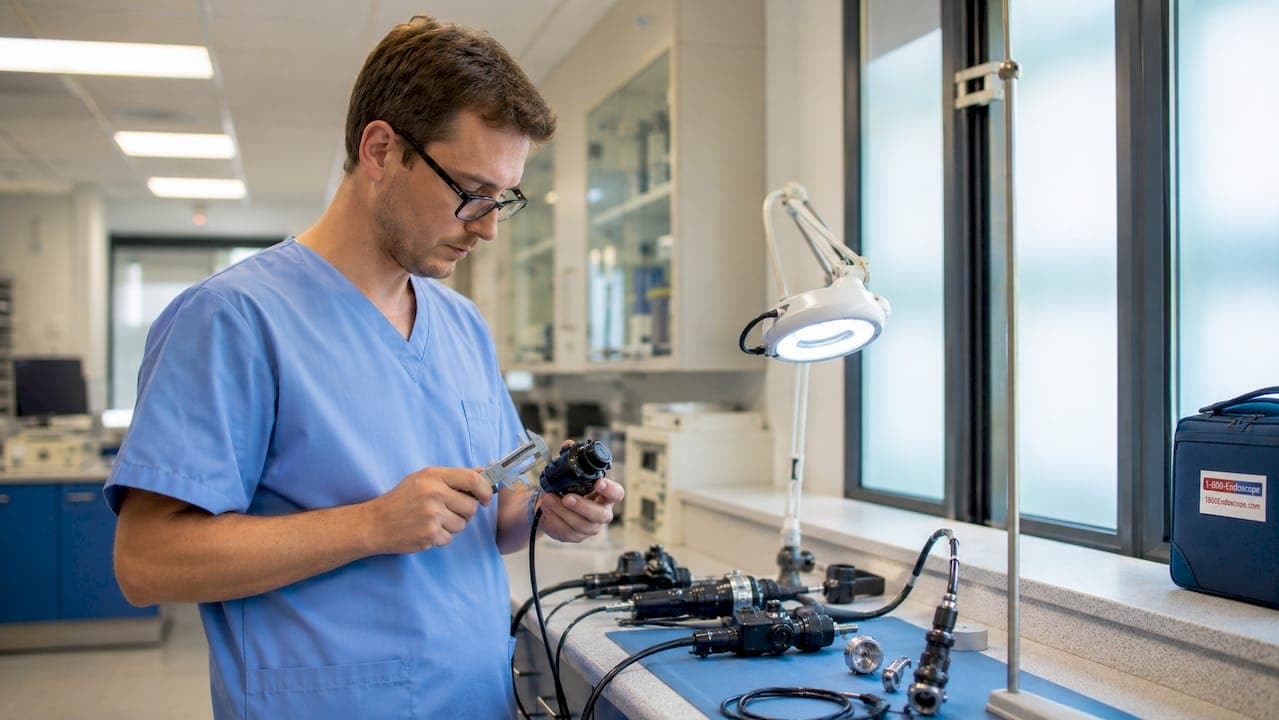
Endoscope compatibility and adapters define the ability to connect various endoscope models with cameras, light sources, and display systems reliably and safely. For veterinary clinics running equine airway scopes and industrial inspection firms using NDT borescopes, a mismatched adapter is not a minor inconvenience. It causes image failure, equipment damage, and workflow shutdowns. The industry term for this discipline is endoscopic equipment compatibility, and it covers three distinct layers: electronic interface, mechanical fit, and sterilization protocol. Getting all three right is the baseline for any professional setup.
What are the common endoscope connection types and their compatibility considerations?
Endoscope connection types include USB, Wi-Fi, HDMI, MIPI, C-mount, LEMO, and Storz. Each interface carries different trade-offs for image quality, host-device support, and integration complexity. Choosing the wrong one for your platform is a leading cause of integration failure.
USB vs. MIPI: the interface trade-off
USB is the dominant choice for PC-connected endoscope systems because it offloads processing complexity to the host device. Plug in a USB endoscope camera, and the host operating system handles driver management and image processing. That convenience comes at a cost: USB introduces latency and is sensitive to cable quality and port power delivery.
MIPI (Mobile Industry Processor Interface) is the standard for embedded systems, including portable veterinary scopes and compact industrial videoscopes. MIPI requires deep driver and ISP (image signal processor) pipeline integration. That means more engineering work upfront, but it delivers lower latency and tighter image control. There is no universally better option. The right choice depends on your host platform and how much integration workload your team can support.
Physical connector standards: C-mount, LEMO, and Storz
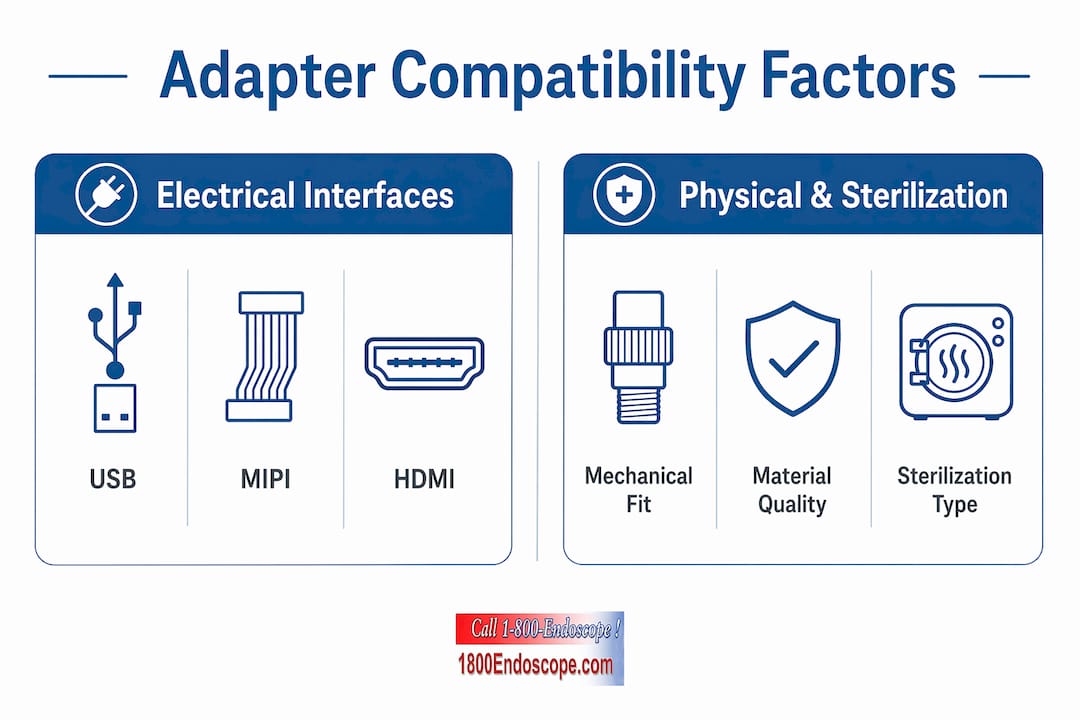
C-mount is the standard thread-based coupler used to attach camera heads to rigid endoscope eyepieces. It is common in veterinary rigid endoscopy and industrial borescope setups. LEMO connectors are multi-pin circular connectors used in professional medical endoscopy systems for combined light, video, and control signals. Storz connectors are proprietary to Karl Storz systems and require brand-specific adapters to interface with third-party cameras or light sources.
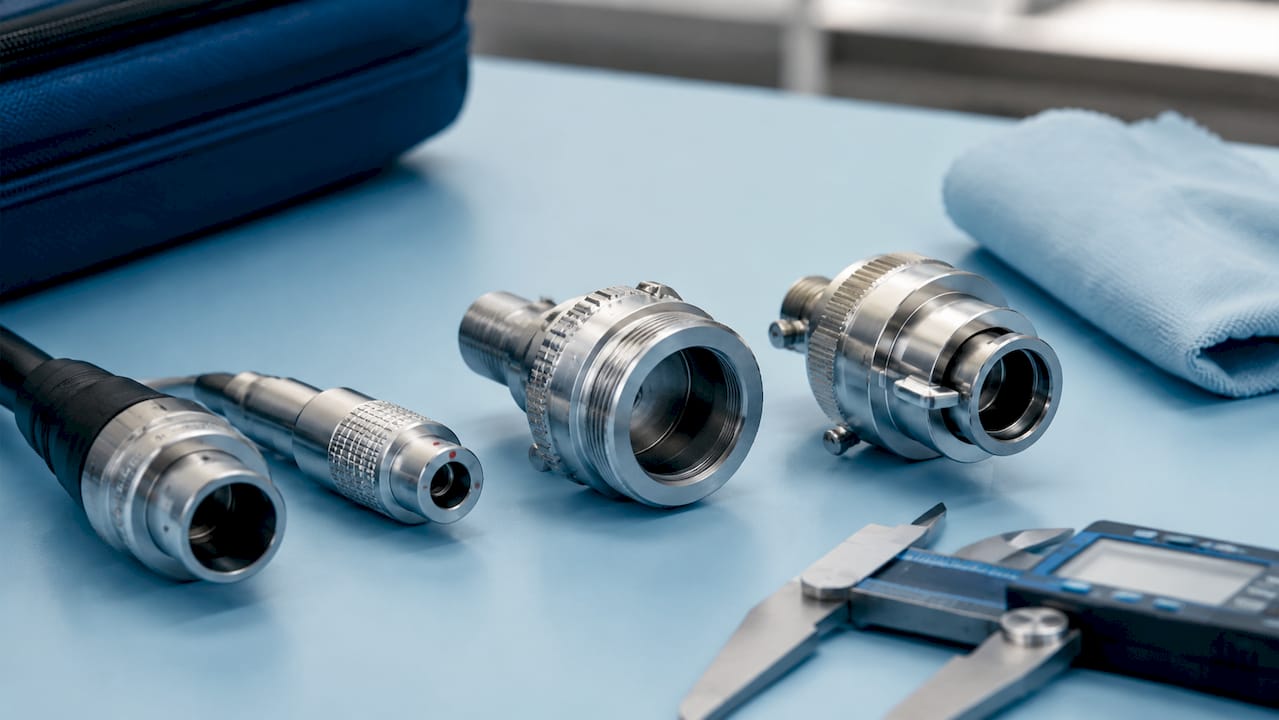
The practical problem is that these standards do not cross-communicate without an adapter. A Storz light post will not accept a generic fiber light cable without a Storz-to-ACMI or Storz-to-Wolf adapter. Verifying connector type before purchasing any adapter is the first step in any compatibility check.
Pro Tip: Before ordering any adapter, photograph both the scope connector and the receiving port on your camera head or light source. Share those photos with your supplier. Visual confirmation prevents the most common ordering errors.
- USB: Best for PC and laptop integration; widely supported; sensitive to cable quality and pinout variation
- Wi-Fi: Suited for wireless field inspections; dependent on network stability and latency tolerance
- HDMI: Direct display output; no PC required; limited to fixed monitor setups
- MIPI: Preferred for embedded and portable systems; requires platform-specific driver integration
- C-mount: Standard thread coupler for rigid scopes and camera heads; widely compatible
- LEMO: Multi-signal professional connector; requires matching pin configuration
- Storz: Proprietary system connector; needs brand-specific bridge adapters
How do physical and sterilization requirements impact endoscope adapter compatibility?
Physical and sterilization constraints are as critical as electrical compatibility. A mechanically mismatched adapter can crack a scope's eyepiece. An adapter that cannot survive autoclave cycles contaminates the sterilization tray and violates infection control protocols. Both failures are preventable with the right selection criteria.
Mechanical fit: diameter, length, and tray dimensions
Rigid endoscope light adapters are typically made of surgical-grade stainless steel to survive repeated sterilization cycles. A standard rigid light adapter runs approximately 1 inch (26 mm) in length, but diameter varies by scope series. Fitting a 4 mm pediatric scope adapter onto a 10 mm veterinary gastroscope port is a common and damaging mistake.
Tray dimensions matter too. Sterilization trays have fixed compartment sizes. An oversized adapter assembly may not fit flat in the tray, which prevents proper steam penetration and invalidates the sterilization cycle. Always verify the full mechanical stack-up, including the adapter, scope tip, and any attached valve, against your tray specifications.
Reusable vs. disposable adapters: sterilization workflow impact
- Identify your sterilization method. Autoclave (steam), EtO (ethylene oxide), and high-level disinfection (HLD) each impose different material requirements. Not all adapters tolerate all three.
- Check the adapter's rated sterilization cycles. Reusable stainless steel adapters are rated for hundreds of cycles. Polymer adapters may degrade after 50 or fewer.
- Assess cross-contamination risk. Reusable adapters require manual cleaning between uses. Each cleaning step introduces handling risk.
- Consider single-use options for high-risk procedures. Single-use air/water cleaning adapters prevent cross-contamination entirely and carry a 5-year shelf life. They are designed for specific endoscope series including the 160, 180, 190, and 1100 series.
- Evaluate workflow speed. Disposable adapters eliminate the cleaning and drying cycle between cases. That time saving is significant in high-volume veterinary or industrial inspection environments.
| Adapter type | Sterilization method | Cycle rating | Cross-contamination risk |
|---|---|---|---|
| Surgical-grade stainless steel | Autoclave, EtO, HLD | High (hundreds of cycles) | Moderate (requires manual cleaning) |
| Polymer reusable | HLD only | Low (under 50 cycles) | Moderate to high |
| Single-use disposable | N/A (discard after use) | One-time use | Minimal |
Pro Tip: For equine airway inspections in field settings, single-use adapters eliminate the need for a cleaning station entirely. Pack pre-counted adapter sets per case and dispose on-site. It keeps your kit light and your protocol clean.
One emerging solution worth knowing is the Steelco one-time connection system, which attaches a single connector to the endoscope at the start of reprocessing and keeps it in place through cleaning, disinfection, and storage. This minimizes repeated manual handling of scope channels and reduces human error across the reprocessing workflow.
What practical steps ensure selecting the right compatible endoscope adapters?
Inventorying current equipment before any adapter purchase is the single most effective step a professional can take. Compatibility failures almost always trace back to assumptions made without checking what is already in the room. A complete inventory covers every endoscope model, camera head, light source, processor, and display in your current setup.
Building your compatibility checklist
Start with the scope itself. Record the manufacturer, model series, insertion tube diameter, and connector type. Then document the receiving equipment: camera head model, light source brand and post type, and processor or display input specifications. Cross-reference these against the manufacturer's compatibility chart before selecting any adapter.
Testing matters as much as documentation. A new adapter should be bench-tested with your existing equipment before it enters a live procedure or inspection. Connect the adapter, run the scope, and verify image quality, light transmission, and signal stability under working conditions. A 10-minute bench test prevents a failed procedure.
- Mechanical fit: Confirm adapter diameter matches both the scope connector and the receiving port exactly
- Electronic interface: Verify the adapter supports the correct signal type (analog vs. digital, USB vs. HDMI)
- Sterilization compatibility: Match adapter material and rating to your sterilization method
- Workflow impact: Assess whether the adapter adds steps to your pre-procedure or post-procedure routine
- Proprietary vs. universal: Proprietary adapters offer guaranteed fit for a single brand; universal adapters offer flexibility but require more verification
Universal vs. proprietary adapters
Universal adapters work across multiple scope brands and are cost-effective for mixed-fleet environments. A veterinary clinic running both small animal flexible scopes and equine rigid scopes benefits from a universal C-mount adapter that fits both camera heads. The trade-off is that universal adapters sometimes introduce minor optical misalignment or light loss compared to OEM-matched options.
Proprietary adapters are the safer choice when image quality is non-negotiable. An OEM-matched adapter for a specific scope series maintains the manufacturer's optical alignment specifications. For compatible light source selection, the same logic applies: matching the light post adapter to the scope's fiber bundle diameter preserves light transmission efficiency.
How do you troubleshoot common compatibility issues with endoscope adapters?
Connectivity choice mismatches are the leading cause of integration failures in endoscope systems. When an adapter or connection fails in the field, the problem almost always falls into one of three categories: connector mismatch, software or driver failure, or physical cable damage.
Diagnostic steps for common adapter failures
Start with the simplest check: physical seating. An adapter that is not fully seated will produce a dark image or no image at all. Remove and reseat the adapter, then check for debris or corrosion on the connector pins. A cotton swab with isopropyl alcohol clears most contact contamination.
For USB endoscope connections, USB wiring and pinouts are not standardized across manufacturers. Even cables from the same brand may differ in wire color and pin assignment. Use a multimeter to trace continuity before assuming a cable is functional. A short in a USB cable can damage the host device's USB controller, which is an expensive repair.
- No image or black screen: Check adapter seating, then test the scope on a known-good port or display
- Degraded image quality: Inspect the adapter's optical surfaces for scratches, dust, or misalignment
- Intermittent signal: Test the cable for continuity; replace cables before replacing adapters
- Driver errors on PC: Update or reinstall the USB driver; test on a second host device to isolate the issue
- Light source not transmitting: Verify the light post adapter matches the fiber bundle diameter; check for burned fiber ends
For veterinary-specific connection problems, the animal endoscopy troubleshooting guide from 1800endoscope covers host-device compatibility and driver issues in clinical settings.
Pro Tip: Keep a spare tested adapter in your kit at all times. Troubleshooting during a live equine procedure or a time-sensitive industrial inspection is not the moment to discover your only adapter has failed.
Key Takeaways
Endoscope compatibility requires matching electronic interface, mechanical dimensions, and sterilization protocol simultaneously. Failing any one layer causes equipment damage, image failure, or infection control violations.
| Point | Details |
|---|---|
| Three-layer compatibility | Every adapter must satisfy electronic, mechanical, and sterilization requirements together. |
| Inventory before purchasing | Document every scope, camera head, and light source before selecting any adapter. |
| Test before live use | Bench-test new adapters under working conditions to catch failures before a procedure. |
| Disposable adapters reduce risk | Single-use adapters eliminate cross-contamination and cleaning steps in high-volume settings. |
| USB pinouts are not standardized | Use a multimeter to verify USB cable continuity before diagnosing adapter failure. |
What I've learned about compatibility that most guides skip
After years of watching veterinary clinics and industrial inspection teams struggle with adapter failures, the pattern is consistent. Professionals focus on the electronic interface and ignore the mechanical stack-up until something breaks. A C-mount adapter that is 2 mm too long will put torque on the camera head coupler every time the scope is moved. Over months, that stress cracks the coupler housing. The repair cost is ten times the price of the correct adapter.
The other overlooked factor is sterilization cycle tracking. Reusable adapters degrade. The surgical-grade stainless steel ones hold up well, but polymer components in hybrid adapters fail silently. The adapter looks fine until it does not seal correctly, and then you have a contamination event. Single-use systems like the Steelco one-time connection approach exist precisely because repeated manual handling is where errors accumulate.
My honest recommendation: treat adapter selection with the same rigor you apply to scope selection. Build a compatibility matrix for your equipment fleet. Update it every time you add a new scope or imaging system. The professionals who do this rarely face emergency troubleshooting calls. The ones who skip it do.
— Endoscope
1800endoscope: compatible adapters and systems for every application
Matching the right adapter to your scope should not require hours of research. 1800endoscope carries a full range of endoscope accessories, including compatible adapters, light sources, and imaging systems for veterinary clinics and industrial inspection teams.
The portable endoscope systems at 1800endoscope are built with connection compatibility in mind, covering USB, SD card, and direct monitor output options for field and clinic use. The borescope and accessory catalog includes adapters for industrial NDT applications across a range of connector types. Whether you need a single replacement adapter or a complete system for equine airway inspection, 1800endoscope's team can help you verify compatibility before you order.
FAQ
What is endoscope adapter compatibility?
Endoscope adapter compatibility is the ability of an adapter to correctly connect a specific endoscope model to a camera head, light source, or display system across electronic, mechanical, and sterilization requirements. All three layers must match for the system to function safely.
What endoscope connection types are most common?
USB, HDMI, Wi-Fi, MIPI, C-mount, LEMO, and Storz are the most common endoscope connection types. USB is favored for PC integration, while MIPI is standard for embedded and portable systems.
How do I choose between a universal and a proprietary adapter?
Choose a proprietary adapter when image quality and optical alignment are critical. Use a universal adapter for mixed-fleet environments where flexibility outweighs the minor optical trade-offs.
Can all endoscope adapters be sterilized?
No. Sterilization compatibility depends on adapter material and construction. Surgical-grade stainless steel adapters tolerate autoclave and EtO cycles. Polymer adapters are typically limited to high-level disinfection and have lower cycle ratings.
What causes most endoscope adapter failures in the field?
The three leading causes are connector mismatch, USB cable pinout variation, and physical stress from improper mechanical fit. Bench-testing adapters before live use and keeping a spare in the kit prevents most field failures.