

Accessory compatibility is defined as the assurance that an accessory will correctly fit, function, and integrate with a specific host device by meeting its mechanical, electrical, and software requirements. For veterinary clinics and industrial inspection firms relying on endoscopic equipment, this definition carries real procedural weight. A biopsy forceps that physically enters a working channel but damages the lining, or a light source cable that connects but delivers incorrect voltage, represents a compatibility failure even though no one would call it an obvious mismatch. Understanding what drives compatibility at every layer is the difference between a procedure that works and one that fails mid-scope.
What is accessory compatibility in endoscopic systems?
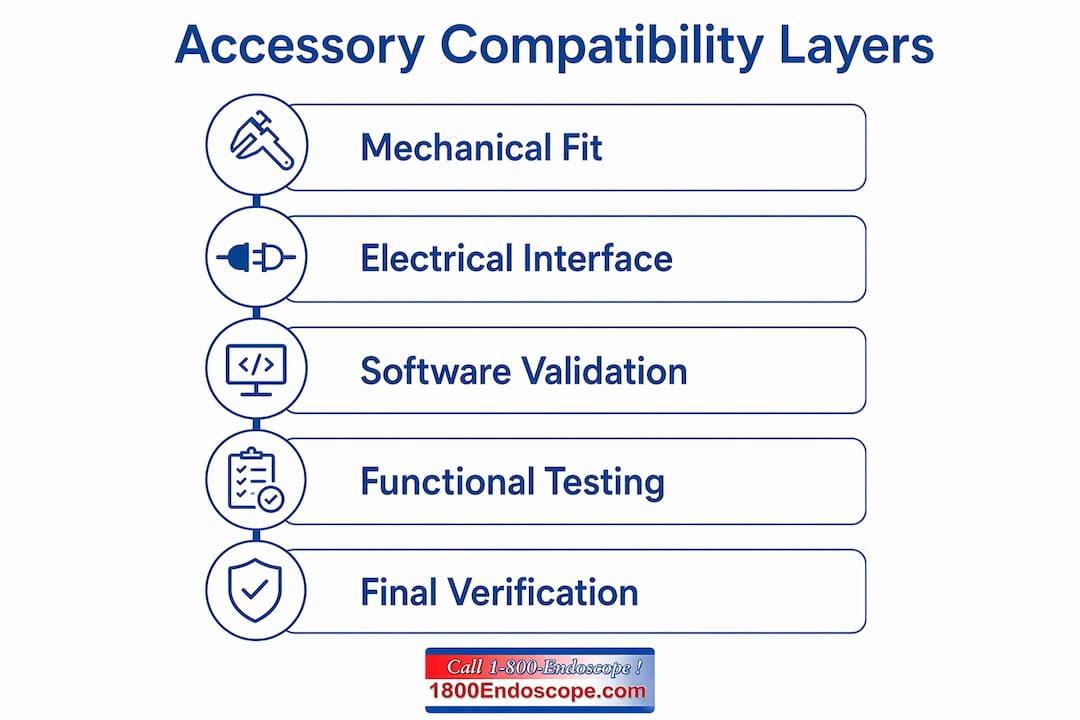
Accessory compatibility in endoscopy is the confirmed alignment of an accessory's physical dimensions, electrical signals, and software behavior with the specific host device it will be used with. The industry term used across medical device documentation is device-accessory compatibility, and it covers three distinct technical layers that must all pass before an accessory is considered safe and functional.
The first layer is mechanical fit: connector geometry, port dimensions, and form factor. A 2.8mm biopsy forceps inserted into a 2.0mm working channel will not pass. A light guide post with the wrong bayonet diameter will not seat. These failures are visible before a procedure begins, which makes mechanical fit the easiest layer to verify but also the one professionals most often treat as sufficient proof of compatibility.
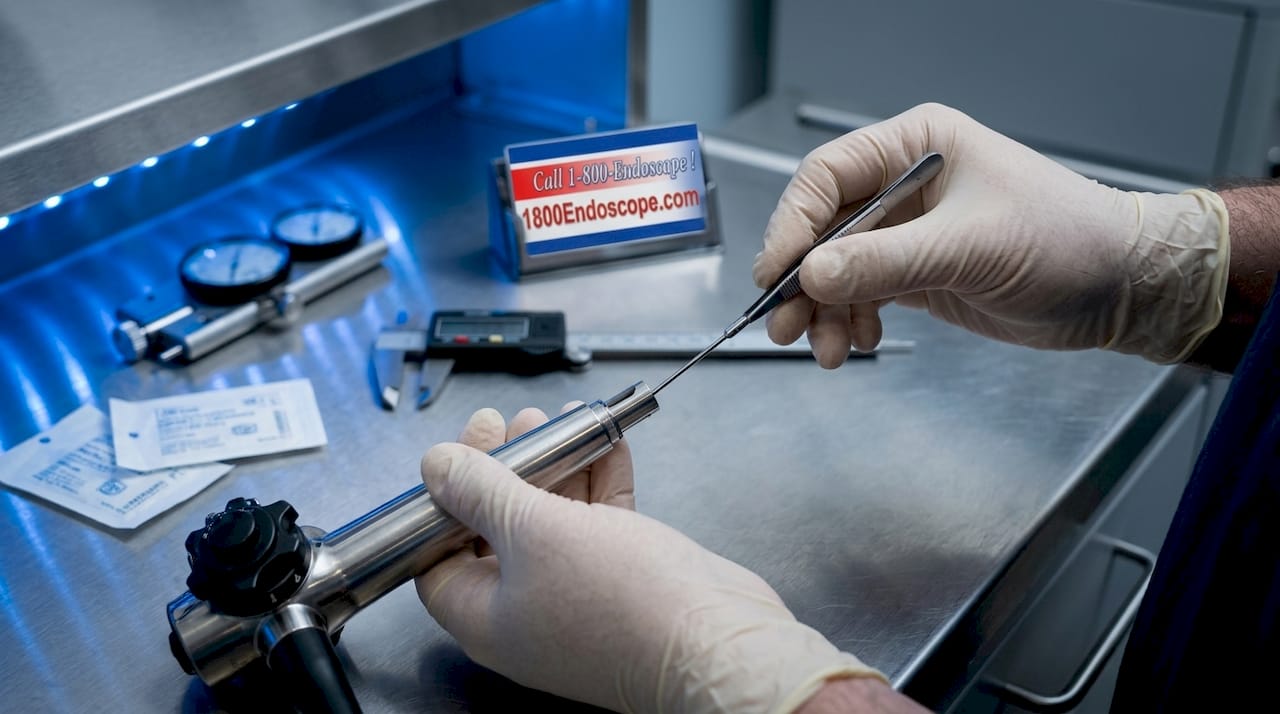
The second layer is electrical and data interface alignment. Signal types, communication protocols, and voltage tolerances must match between the accessory and the host. NI's CompactRIO system defines compatibility by port type and communication protocol before any accessory selection, a standard that applies equally to endoscopic camera heads, video processors, and light sources. A camera head designed for a 12V input connected to a 24V output port will fail electrically even if the connector seats perfectly.
The third layer is software and firmware validation. Modern video processors and digital endoscopes run internal validation logic that checks whether an attached accessory is recognized and approved. Mindray BeneVision N-Series monitors, for example, can carry different SpO2 modules including Mindray, Nellcor, or Masimo configurations, and each requires a different set of compatible sensors and cables despite identical external appearances. The same principle applies to endoscope processors: two units from the same manufacturer may run different firmware versions that accept different accessory sets.
Pro Tip: Before selecting any accessory, verify all three layers independently. A physical fit check alone is not a compatibility check.
How compatibility works specifically in veterinary and industrial endoscopy
Endoscopy introduces a fourth dimension that general instrumentation does not: working channel integrity. In veterinary flexible endoscopy, the working channel must allow accessories like biopsy forceps, cytology brushes, and retrieval baskets to pass smoothly without resistance, snagging, or deformation. Physical fit alone does not guarantee accessory function. A forceps with a slightly oversized coil sheath will bind in the channel, reducing tactile feedback and risking channel wall damage.
Industrial borescopes face a parallel challenge. Inspection probes, articulation cables, and camera modules must match the internal diameter and bend radius specifications of the insertion tube. A probe that fits the entry port but exceeds the minimum bend radius will lock up inside a curved inspection path, potentially damaging both the probe and the host scope.
The following steps define a reliable compatibility check sequence for endoscopic accessories:
- Identify the exact model number of your host endoscope or processor, including firmware version if applicable.
- Locate the manufacturer's model-specific compatibility documentation, not the general product brochure.
- Confirm working channel diameter and minimum accessory clearance for flexible scopes.
- Verify electrical interface specifications for powered accessories such as electrosurgical probes or irrigation pumps.
- Check whether the accessory supplier provides ISO 13485 certification and batch testing documentation with defined pass/fail criteria.
- Test the accessory in a controlled setting with your specific scope before clinical or field deployment.
"Requiring documented compatibility matrices rather than vague 'OEM-compatible' claims is the single most effective way to reduce accessory failure risk in endoscopy." — MedWalt sourcing guidance
Generic "universal" compatibility claims from accessory suppliers are a red flag. No accessory is universal across all endoscope brands and models. A biopsy forceps listed as compatible with "most 2.8mm channels" may still fail in a specific Olympus or Pentax model due to internal channel geometry differences that are not visible from the outside.
How to check accessory compatibility before purchasing
Verification starts with manufacturer resources, not supplier catalogs. Sony's accessory compatibility process, for instance, requires exact model number input and cross-referencing a dedicated compatibility section rather than relying on general product descriptions. The same discipline applies to endoscopic equipment: always start with the OEM documentation for your specific scope model.
The table below outlines the primary verification methods and what each one confirms:
| Verification method | What it confirms | Limitation |
|---|---|---|
| Manufacturer compatibility guide | Mechanical and electrical fit for listed models | May not reflect recent firmware updates |
| Supplier compatibility matrix | Part number cross-reference to OEM model | Only as reliable as the supplier's documentation |
| Internal module diagnostic check | Correct accessory type for internal configuration | Requires access to device service menu |
| Real-world proof test | End-to-end functional performance | Time-intensive; must use exact host equipment |
| ISO 13485 certification review | Manufacturing quality and batch consistency | Does not confirm model-specific fit |
For medical monitors used in veterinary settings, the internal module diagnostic check is particularly important. A Mindray BeneVision unit may look identical to another unit on the shelf, but the internal SpO2 module determines which sensors are compatible. Ordering sensors based on external model appearance alone will produce the wrong accessory in a significant percentage of cases.
Pro Tip: Document every compatibility verification step in a log tied to the specific scope serial number. When accessories are replaced or upgraded, that log prevents repeating the same research and catches configuration drift over time.
For veterinary professionals working with airway inspection systems, cross-referencing the scope's working channel diameter and camera module specifications against the accessory's published dimensions is the fastest path to a reliable compatibility decision.
What are the common challenges in complex accessory compatibility?
The most persistent compatibility failure in professional settings is assuming that shape-fit equals system-fit. SFP optical modules illustrate this precisely: vendor firmware and EEPROM identification must align with the host device's validation logic even when the physical form factor is identical across multiple manufacturers. An SFP module that seats correctly and passes power-on checks can still fail to maintain a stable optical link because the firmware handshake is rejected.
Endoscopic systems carry the same risk. A camera coupler that physically attaches to both the scope eyepiece and the camera head may still produce vignetting, color shift, or signal dropout if the optical path length or magnification factor is mismatched. End-to-end validation with the exact scope and image chain is the only method that exposes these failures before a procedure.
The table below separates compatibility from interoperability, a distinction that matters when troubleshooting accessory performance:
| Concept | Definition | Example failure mode |
|---|---|---|
| Compatibility | Accessory is accepted and recognized by the host | Device powers on but image quality is degraded |
| Interoperability | Accessory functions stably and correctly with the host | Accessory accepted but loses signal under load |
Compatibility is distinct from interoperability: an accessory can pass the host's acceptance check and still fail to perform reliably under real operating conditions. This distinction is why proof-testing in actual conditions is non-negotiable for procedure-critical equipment.
Internal configuration changes add another layer of complexity. A veterinary clinic that upgrades its video processor firmware may inadvertently invalidate previously compatible accessories if the new firmware version changes the device's validation logic. Maintaining a compatibility knowledge repository tied to firmware versions prevents this from becoming a surprise during a procedure.
Key takeaways
Accessory compatibility in endoscopy requires confirmed alignment across mechanical, electrical, software, and functional pathway dimensions before any accessory is used in a clinical or industrial procedure.
| Point | Details |
|---|---|
| Three-layer verification | Confirm mechanical fit, electrical interface, and firmware acceptance independently for every accessory. |
| Working channel integrity | In endoscopy, functional pathway behavior determines compatibility beyond physical dimensions alone. |
| Documentation over claims | Require supplier-provided compatibility matrices linked to specific OEM model numbers, not generic "universal" labels. |
| Compatibility vs. interoperability | An accepted accessory is not automatically a stable one; proof-test under real operating conditions. |
| Internal configuration awareness | Monitor firmware versions and internal module configurations to prevent compatibility drift after upgrades. |
Why I stopped trusting "compatible with most models" claims
After years of working with veterinary and industrial endoscopy professionals, the phrase "compatible with most models" has become a signal to slow down, not speed up. It almost always means the supplier tested one or two common models and extrapolated. The professionals who avoid accessory failures are the ones who treat every new accessory as unverified until they have the manufacturer's documentation in hand and have run a controlled test with their specific scope.
The most underrated practice I have seen is maintaining a compatibility log tied to individual scope serial numbers. When a clinic replaces a biopsy forceps or upgrades a light source, that log tells them immediately whether the new accessory has been verified for that specific unit or whether a fresh check is needed. It takes ten minutes to set up and prevents hours of troubleshooting later.
The other habit worth building is direct communication with manufacturers when documentation is ambiguous. Most OEM technical support teams will confirm compatibility for specific model and firmware combinations if you ask with the right level of detail. Suppliers who cannot or will not provide that level of documentation are telling you something important about the quality of their compatibility claims.
For veterinary professionals, the video laryngoscopy guide at 1800endoscope offers a practical example of how proper equipment pairing directly affects procedural outcomes. The principle applies across every endoscopic accessory category.
— Endoscope
Find verified compatible accessories at 1800endoscope
1800endoscope stocks a broad catalog of endoscopic accessories for veterinary and industrial professionals, with model-specific compatibility documentation available for key product lines. Whether you need biopsy forceps, light sources, valves, or inspection probes, the catalog is organized to help you match accessories to your specific scope model rather than guessing from generic descriptions. The veterinary rigid endoscopy catalog and the industrial borescope catalog both include technical specifications that support direct compatibility cross-referencing. For questions about a specific accessory and host device pairing, the 1800endoscope technical team is available to assist before you order.
FAQ
What does accessory compatibility mean in endoscopy?
Accessory compatibility in endoscopy means an accessory meets the mechanical, electrical, software, and functional pathway requirements of a specific host scope or processor. Physical fit alone does not confirm compatibility.
How do I check accessory compatibility for my endoscope?
Start with the manufacturer's model-specific compatibility documentation using your exact model and firmware version, then cross-reference a supplier-provided compatibility matrix, and finish with a real-world proof test using your specific equipment.
What is a compatibility matrix for endoscopy accessories?
A compatibility matrix is a supplier-provided document that links their part numbers explicitly to OEM brand, series, and model numbers. It is more reliable than general "OEM-compatible" claims because it ties each accessory to a verified host device.
What is the difference between compatibility and interoperability?
Compatibility means the host device accepts and recognizes the accessory. Interoperability means the accessory functions stably and correctly under real operating conditions. An accessory can be compatible but not interoperable if it passes acceptance checks but fails under load.
What affects accessory compatibility in veterinary endoscopy?
Working channel diameter, connector geometry, electrical interface specifications, firmware validation logic, and internal module configuration all affect whether an accessory will function correctly with a specific veterinary endoscope.